


Introduction
The internet has become an essential part of everyday life, and behind every website is the work of skilled web developers. Whether you want to create a personal blog, launch an online business, build web applications, or start a rewarding career in technology, learning web development is one of the most valuable skills you can acquire.
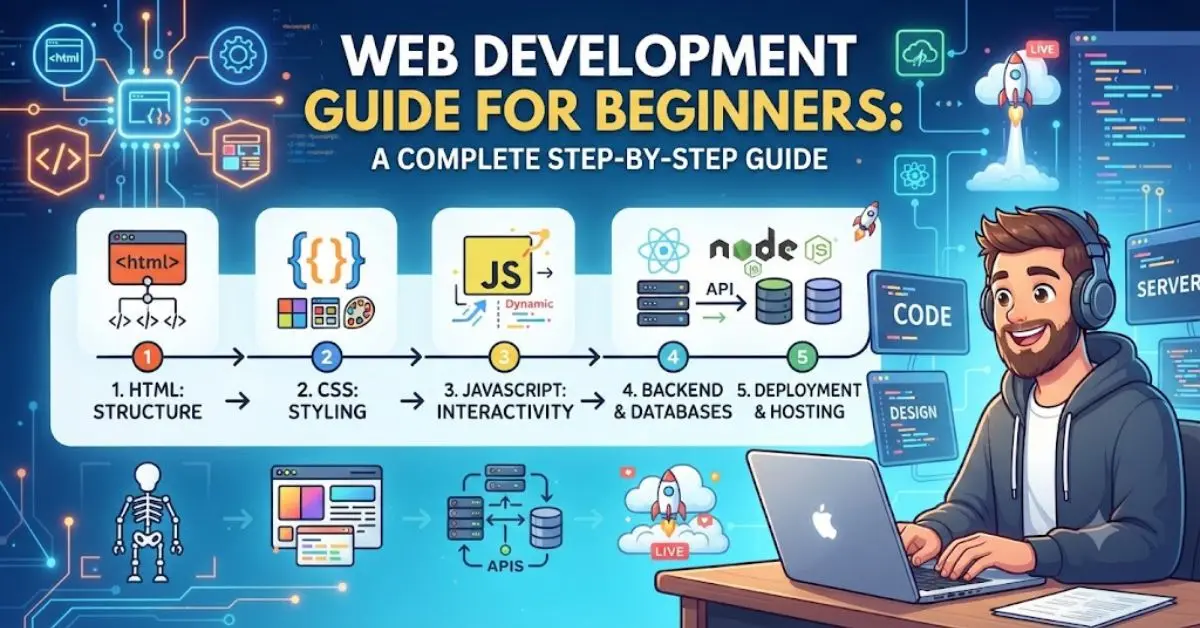
This Web Development Guide for Beginners is designed to help newcomers understand the complete journey of becoming a web developer. You don’t need a computer science degree or years of coding experience to get started. With the right learning path, consistent practice, and patience, anyone can learn to build professional websites.
Web development combines creativity with technical problem-solving. You’ll learn how websites are structured, how they look attractive, and how they perform complex tasks behind the scenes. As you gain experience, you’ll be able to create responsive websites, interactive applications, and even full-scale business platforms.
Throughout this guide, you’ll discover the essential programming languages, development tools, best practices, and practical tips that every beginner should know. We’ll also discuss common mistakes, career opportunities, and expert advice to help you learn more efficiently.
By the end of this Web Development Guide for Beginners, you’ll have a clear understanding of where to begin, what to learn next, and how to continue improving your skills with confidence.
What is Web Development?
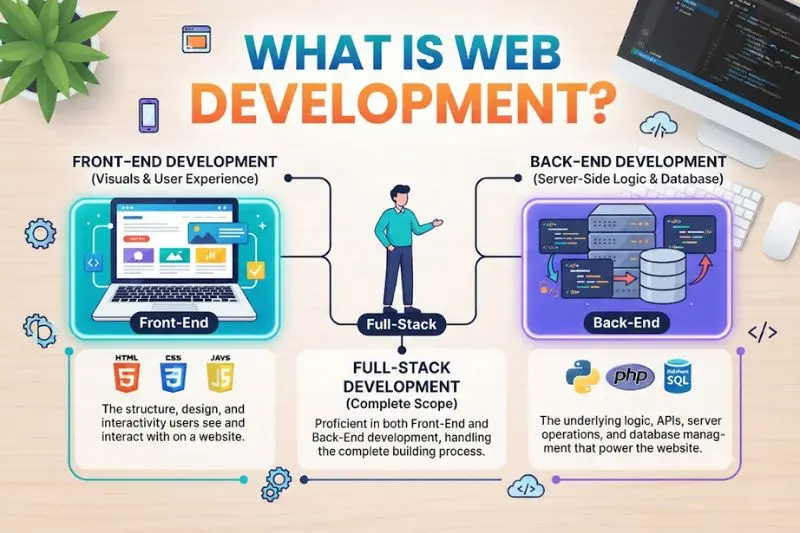
Web development is the process of creating, designing, building, and maintaining websites and web applications that run on the internet.
A website consists of two major parts:
- Frontend Development
- Backend Development
Frontend Development
Frontend development focuses on everything users see and interact with.
It includes:
- Website layout
- Navigation menus
- Images
- Buttons
- Forms
- Animations
- Responsive design
Common frontend technologies include:
- HTML
- CSS
- JavaScript
Backend Development
Backend development manages everything happening behind the scenes.
It includes:
- Databases
- User authentication
- Server management
- APIs
- Business logic
Popular backend languages include:
- PHP
- Python
- Java
- Node.js
- Ruby
Full Stack Development
A Full Stack Developer works with both frontend and backend technologies.
They can build an entire website from start to finish.
Why is Web Development Important?
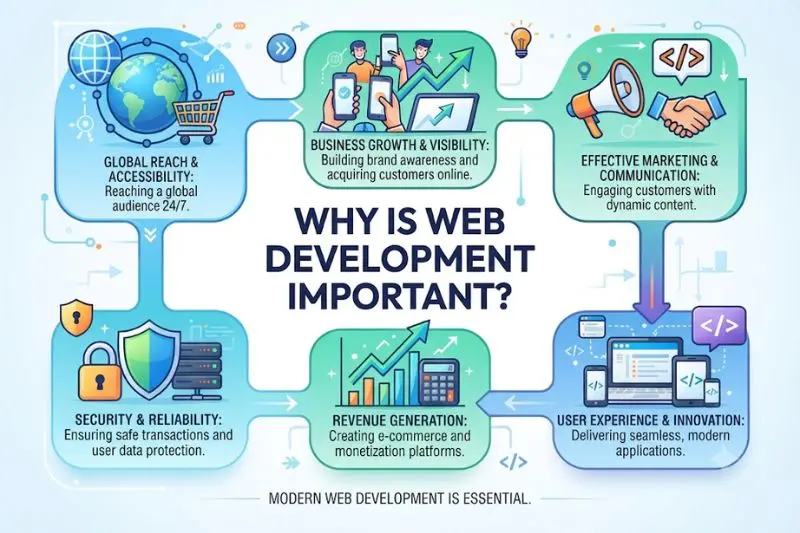
Web development has become one of today’s most in-demand technical skills.
Here are several reasons why it matters.
1. Businesses Need Websites
Every company wants an online presence.
Professional websites help businesses:
- Reach customers
- Sell products
- Build trust
- Generate leads
2. High Career Demand
Companies constantly hire web developers because digital transformation continues to grow.
Remote jobs and freelance opportunities are also increasing.
3. Excellent Income Potential
Experienced developers often earn competitive salaries while freelancers can work with international clients.
4. Unlimited Creativity
You can build:
- Blogs
- Portfolios
- E-commerce stores
- Business websites
- Educational platforms
- Social media apps
- Online tools
5. Continuous Learning
Technology constantly evolves, making web development an exciting career with endless opportunities to learn.
Step-by-Step Guide to Learning Web Development
Step 1: Learn How Websites Work
Before writing code, understand:
- Domains
- Hosting
- Browsers
- HTTP & HTTPS
- DNS
- Client-server communication
This foundation makes advanced topics much easier later.
Step 2: Learn HTML
HTML (HyperText Markup Language) is the backbone of every webpage.
It defines the page structure.
Example elements include:
- Headings
- Paragraphs
- Images
- Links
- Tables
- Lists
- Forms
Without HTML, websites cannot exist.
Step 3: Master CSS
CSS controls the appearance of your website.
You’ll learn how to style:
- Colors
- Fonts
- Backgrounds
- Buttons
- Layouts
- Spacing
- Animations
Also study:
- Flexbox
- CSS Grid
- Media Queries
These tools help create responsive websites.
Step 4: Learn JavaScript
JavaScript adds interactivity.
Examples include:
- Popups
- Sliders
- Form validation
- Image galleries
- Dynamic content
- Interactive menus
JavaScript transforms static websites into engaging user experiences.
Step 5: Practice Responsive Design
People browse websites on:
- Smartphones
- Tablets
- Laptops
- Desktop computers
Responsive design ensures your website works well on every screen size.
Step 6: Learn Version Control
Git helps developers:
- Track changes
- Restore previous versions
- Collaborate with teams
- Manage projects efficiently
Learning Git early is highly recommended.
Step 7: Understand Frontend Frameworks
Once comfortable with JavaScript, explore popular frameworks like React, Vue, or Angular.
Frameworks help developers build modern web applications faster and more efficiently by organizing code into reusable components.
Step 8: Learn Backend Development
Frontend alone cannot build complete applications.
Learn:
- Server-side programming
- APIs
- Authentication
- Databases
- User management
Popular beginner-friendly choices include:
- Node.js
- PHP
- Python
Step 9: Learn Databases
Databases store information such as:
- User accounts
- Products
- Orders
- Messages
- Blog posts
Popular databases include:
- MySQL
- PostgreSQL
- MongoDB
Step 10: Build Real Projects
Projects are the fastest way to improve.
Begin with:
- Personal portfolio
- Landing page
- Blog
- Calculator
- To-do application
- Weather app
- Business website
Each project teaches new concepts.
Step 11: Deploy Your Website
Publishing your project allows others to view your work online.
Deployment also teaches valuable real-world skills, including server configuration and website maintenance.
Step 12: Continue Learning
Technology changes rapidly.
Stay updated by:
- Reading documentation
- Practicing regularly
- Following industry trends
- Building new projects
- Learning modern tools
Consistency matters more than speed.
Benefits of Web Development
Learning web development offers numerous advantages:
- High-demand career opportunities
- Strong earning potential
- Remote work flexibility
- Freelance opportunities
- Ability to build your own business
- Creative freedom
- Continuous skill improvement
- Global job market access
- Opportunity to solve real-world problems
- Strong problem-solving abilities
- Better logical thinking
- Endless learning opportunities
Disadvantages / Risks
Although web development is rewarding, it also comes with challenges.
Some common disadvantages include:
- Steep learning curve for beginners
- Constant technology updates
- Long hours debugging code
- Screen fatigue
- Highly competitive industry
- Requires continuous practice
- Can become overwhelming without a learning plan
- Time management challenges for freelancers
Fortunately, these challenges become easier with experience and consistent practice.
Common Mistakes to Avoid
Many beginners slow their progress by making avoidable mistakes.
Skipping HTML and CSS Basics
Many learners jump directly into frameworks.
Master the fundamentals first.
Learning Too Many Technologies at Once
Focus on one language before moving to another.
Depth is more valuable than breadth.
Avoiding Real Projects
Watching tutorials alone isn’t enough.
Apply what you learn immediately.
Ignoring Responsive Design
Modern websites must work on all devices.
Always test different screen sizes.
Copying Code Without Understanding It
Understand why code works instead of memorizing it.
This improves long-term learning.
Not Practicing Regularly
Programming is a practical skill.
Daily coding—even for 30 to 60 minutes—produces better results than occasional long sessions.
Giving Up Too Early
Every developer struggles with bugs and errors.
Persistence is one of the most valuable skills you can develop.
Frequently Asked Questions (FAQs)
Can I learn web development without a computer science degree?
Yes.
Many successful developers are self-taught through online courses, books, tutorials, and consistent practice.
How long does it take to learn web development?
Basic websites can often be built within two to three months of regular study. Becoming job-ready typically takes six months to one year, depending on your dedication and practice.
Is web development difficult?
It can feel challenging at first because you’re learning new concepts. However, breaking topics into smaller steps and practicing consistently makes the process much easier.
Which programming language should beginners learn first?
Start with:
HTML
CSS
JavaScript
After mastering these, choose a backend language like Node.js, PHP, or Python.
Can I become a freelance web developer?
Absolutely.
Many businesses hire freelance developers to create websites, maintain existing projects, and develop custom web applications.
Building a strong portfolio significantly improves your chances of finding clients.
Do I need to learn both frontend and backend development?
Not necessarily.
You can specialize in frontend or backend development. However, understanding both makes you a more versatile developer and opens up additional career opportunities.
What tools do web developers commonly use?
Some of the most common tools include:
Code editors
Git
Browsers with developer tools
Package managers
Debugging tools
Deployment platforms
As you progress, you’ll naturally become familiar with these tools through practical experience.
Expert Tips & Bonus Points
Follow these expert recommendations to accelerate your learning:
- Practice coding every day, even for short periods.
- Build projects instead of only watching tutorials.
- Focus on understanding concepts rather than memorizing syntax.
- Keep your code clean, readable, and well-organized.
- Learn keyboard shortcuts to improve productivity.
- Break large problems into smaller tasks.
- Review your older projects to identify areas for improvement.
- Create a professional portfolio showcasing your best work.
- Learn basic SEO to build search-friendly websites.
- Develop strong debugging skills, as finding and fixing errors is a major part of development.
- Stay curious and embrace continuous learning, as web technologies evolve regularly.
- Join developer communities to learn from others and receive constructive feedback.
Conclusion
Learning web development is one of the smartest investments you can make in today’s digital world. Whether your goal is to secure a high-paying job, become a freelancer, launch your own online business, or simply build websites as a hobby, the opportunities are vast. While the learning journey may seem challenging at first, every expert developer once started as a beginner. The key is to stay consistent, focus on mastering the fundamentals, and practice regularly through real-world projects.
This Web Development Guide for Beginners has covered the essential concepts you need to begin your journey, including understanding how websites work, learning HTML, CSS, and JavaScript, exploring backend development, working with databases, and building practical projects. By following a structured learning path and avoiding common mistakes, you’ll develop both the technical skills and confidence needed to grow as a web developer.
Remember that web development is not about learning every technology at once. Instead, it’s about building a solid foundation and improving step by step. Every project you complete strengthens your abilities and prepares you for more advanced challenges. Stay patient, keep experimenting, and never stop learning. With dedication and consistent effort, you’ll be well on your way to creating professional websites and exciting web applications that make a real impact.
