


The internet is the modern storefront, town square, and resume all rolled into one. If you do not have an online presence, you are missing out on endless opportunities. Fortunately, learning how to build your first website is no longer reserved for software engineers or high-priced agencies. Anyone with a computer and a bit of patience can create a stunning platform from scratch.
When you first start exploring the web development landscape, the sheer volume of information can feel overwhelming. You will encounter terms like DNS, hosting, CMS, and SSL. It is easy to get stuck in analysis paralysis before you even write your first line of content. This comprehensive guide simplifies the entire process into manageable steps.
Whether you want to launch a personal blog, showcase your professional portfolio, or build a thriving e-commerce store, this article is your roadmap. We will walk you through everything from choosing a domain name to hitting the publish button. By the end of this guide, you will have the knowledge and confidence to launch a functional, beautiful web platform. Let us dive in.
What is a Website?
At its core, a website is a collection of interconnected web pages hosted on a server and accessible via the internet. Think of it as a digital house. Your website files, images, and text are the furniture inside the house. These pages are written in languages like HTML, CSS, and JavaScript, which browsers translate into visual interfaces.
To make this digital house accessible to the public, it needs two critical components. First, it requires a domain name, which acts as the street address people type into their browsers. Second, it needs web hosting, which is the plot of land where your digital house physically sits. Together, these elements allow users worldwide to visit your platform at any time of day.
Why is Learning How to Build Your First Website Important?
In our interconnected world, establishing an online footprint is a necessity rather than a luxury. When you understand how to build your first website, you gain complete control over your digital identity. Social media platforms can change their algorithms overnight, but your own site belongs entirely to you.
Furthermore, building a site teaches you valuable digital skills that are highly sought after in the modern job market. You will learn the basics of design, content creation, and search engine optimization. For entrepreneurs, a standalone platform legitimizes a business, builds consumer trust, and opens a global sales channel that operates around the clock.
Detailed Step-by-Step Guide to Creating Your Site
Building a web platform requires a logical progression of steps to ensure stability, security, and a great user experience. Following a structured framework will save you hours of troubleshooting down the road.
Step 1: Define Your Purpose and Plan Your Content
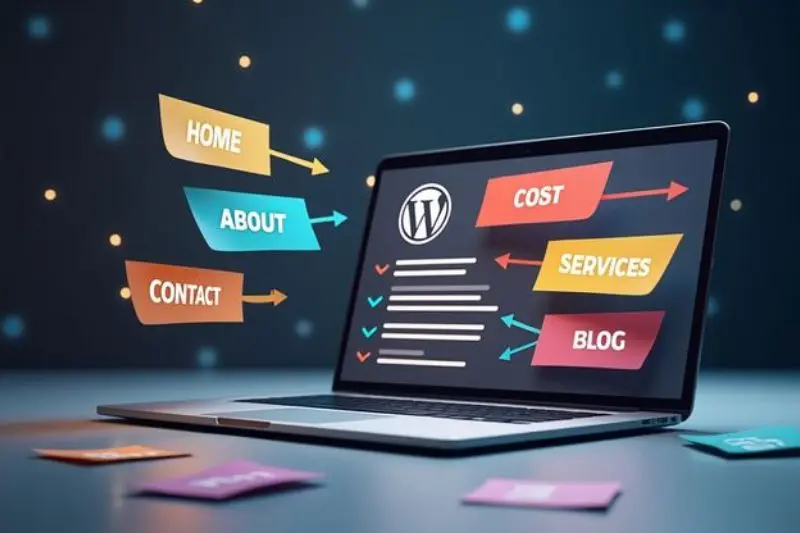
Before clicking a single button, you must determine exactly what you want your site to achieve. A portfolio site requires a completely different layout than an online clothing store. Take a piece of paper and sketch a basic map of the pages you will need, such as a Home page, an About page, and a Contact page.
Step 2: Choose and Register Your Domain Name
Your domain name is your online identity. It should be memorable, easy to spell, and reflective of your brand or name. If possible, always aim for a .com extension because users instinctively trust it. Avoid using hyphens, double letters, or numbers, as these elements often lead to typos and lost traffic. Once you find an available name, register it through a reputable registrar.
Step 3: Select a Reliable Web Hosting Provider
Web hosting is the service that stores your website files and serves them to visitors. For beginners, shared hosting is the most cost-effective and user-friendly option. Look for a provider that offers a 99.9% uptime guarantee, 24/7 customer support, and a free SSL certificate. Popular entry-level providers include Bluehost, Hostinger, and SiteGround.
Step 4: Choose a Content Management System (CMS)
A Content Management System is software that allows you to build and manage your site without writing code. WordPress.org is the undisputed king of CMS platforms, powering over 40% of all websites globally. It is free, highly customizable, and supported by a massive global community. Other user-friendly alternatives include Wix, Squarespace, and Shopify for e-commerce.
Step 5: Install WordPress and Configure Basic Settings
Most modern web hosts offer a simple, one-click WordPress installation process through their hosting control panel. Once installed, log into your WordPress dashboard. Navigate to the settings menu to update your site title, tagline, and permalink structure. For optimal search engine performance, change your permalinks to the “Post Name” option.
Step 6: Select and Customize a Visual Theme
Your theme dictates the visual design, layout, and color scheme of your platform. WordPress offers thousands of free themes within its official directory. Choose a lightweight, responsive theme like Astra, GeneratePress, or OceanWP. Customize the typography, upload your logo, and set your brand colors using the built-in theme customizer tool.
Step 7: Extend Functionality with Essential Plugins
Plugins are like apps for your website, adding new features and capabilities. For a robust foundational setup, you should install a handful of essential tools:
- Yoast SEO or Rank Math: For search engine optimization optimization.
- UpdraftPlus: To schedule automatic backups of your entire site.
- Wordfence Security: To protect your platform from malicious hacking attempts.
- LiteSpeed Cache: To optimize loading speeds and improve performance.
Step 8: Create Core Pages and High-Quality Content
With the structure in place, it is time to build your primary pages. Draft an engaging homepage that clearly explains what you do. Write an authentic about page to build trust with your readers. Finally, set up a contact page featuring a functional contact form so visitors can easily reach out to you.
Step 9: Test Your Site Across Different Devices
Before promoting your site to the world, perform a rigorous quality assurance check. Open your website on your smartphone, tablet, and various desktop browsers like Chrome, Safari, and Firefox. Ensure that all images load correctly, text is readable, buttons are clickable, and navigation menus work flawlessly on every screen size.
Benefits of Building Your Own Website
Taking the initiative to learn how to build your first website offers numerous long-term rewards for your personal and professional growth.
- Complete Creative Control: You dictate the exact aesthetic, messaging, and layout without being confined by the restrictive rules of third-party platforms.
- Cost Efficiency: Learning the process yourself saves you thousands of dollars that would otherwise go to professional developers or agencies.
- Monetization Potential: A self-owned platform allows you to generate income through display advertisements, affiliate marketing, sponsored posts, or digital products.
- Enhanced Credibility: A polished, dedicated domain demonstrates professionalism and shows clients that you take your venture seriously.
- Skill Acquisition: You will develop a practical understanding of design principles, content marketing, and basic troubleshooting that enhances your digital literacy.
Disadvantages and Risks to Consider
While the benefits are substantial, you must also be aware of the responsibilities and challenges that come with managing a website.
- Time Commitment: Planning, designing, writing content, and fixing errors requires a significant investment of hours, especially during the initial launch phase.
- Technical Learning Curve: Though modern tools are incredibly accessible, you will still encounter occasional software conflicts, layout bugs, or hosting errors.
- Security Vulnerabilities: Self-hosted platforms are constant targets for hackers, spam bots, and malware injections if proper security protocols are ignored.
- Ongoing Maintenance Costs: While building the site is cheap, you must budget for annual domain renewals, monthly hosting fees, and occasional premium plugin subscriptions.
- Traffic Generation Challenges: Simply launching a platform does not guarantee visitors; you must work consistently on marketing and SEO to earn visibility.
Common Mistakes to Avoid
Many beginners fall into predictable traps that hinder their progress or damage their site’s performance. Knowing these pitfalls in advance will save you immense frustration.
One prevalent error is choosing a slow, bottom-tier hosting provider just to save a few dollars. Cheap hosting often results in sluggish page load times, frequent downtime, and poor customer support, which alienates visitors and harms your search engine rankings.
Another massive mistake is ignoring mobile optimization. Over half of all global web traffic originates from mobile devices. If your menus are impossible to tap or your text shrinks on a phone screen, users will immediately leave your site. Always adopt a mobile-first mindset during your design process.
Finally, do not overcomplicate your layout with too many elements. Beginners often install dozens of plugins and add flashing animations, heavy images, and chaotic color palettes. This bloat degrades user experience and destroys loading speeds. Keep your layout clean, minimal, and focused on readability.
FAQs
How much does it cost to build a website for the first time?
The initial cost can be remarkably low. You can expect to pay around $10 to $15 per year for a domain name and $3 to $8 per month for basic shared hosting. Many core tools, including the WordPress CMS and various design themes, are completely free. Overall, you can launch a professional site for under $100.
Do I need to know how to code to build a website?
No, coding knowledge is no longer a requirement for building a beautiful website. Modern content management systems and visual page builders use drag-and-drop interfaces. You can arrange layouts, change colors, and add text visually while the software handles the underlying code automatically.
What is the difference between WordPress.com and WordPress.org?
WordPress.com is a fully managed hosting service run by a commercial company, which offers less flexibility and limits your monetization options on free plans. WordPress.org is the free, open-source software that you install on your own self-hosted server, giving you complete freedom and control over your files.
How long does it take to build a functional website?
If you follow a structured guide, you can have a basic, functional multi-page website live within a single weekend. However, customizing the layout, writing comprehensive content, and refining the search engine optimization will require ongoing work over several weeks.
Can I build a website for free?
Yes, platforms like Wix, Weebly, and WordPress.com offer free tiers. However, free plans come with heavy restrictions, such as display ads for their brand, limited storage, and a subdomain instead of a professional web address (e.g., yourname.wixsite.com). Buying a custom domain is highly recommended for professional use.
How do I protect my website from hackers?
You can protect your site by enforcing strong, unique passwords for your admin account and keeping your CMS, themes, and plugins updated regularly. Additionally, install a reputable security plugin like Wordfence and ensure your web host provides an active SSL certificate to encrypt user data.
Expert Tips and Bonus Points
To ensure your newly launched platform stands out in a crowded digital landscape, implement these advanced best practices right from the start.
First, always optimize your images before uploading them to your media library. Large, uncompressed photograph files are the primary cause of slow website speeds. Use free compression utilities to shrink file sizes without sacrificing visual quality, and save images in modern formats like WebP.
Second, establish a rigorous backup routine immediately. Plugins fail, updates break layouts, and servers occasionally crash. Use a plugin to automate weekly or monthly backups, and store those backup files in an external cloud location like Google Drive or Dropbox rather than on your web server.
Pro Tip: Set up Google Analytics and Google Search Console immediately after launching. These free utilities track how many people visit your site, how they found you, and what pages they engage with most. This data is invaluable for long-term growth.
Conclusion
Learning how to build your first website is a transformative journey that unlocks boundless personal and commercial potential. While the technical landscape might initially appear intimidating, modern development tools have leveled the playing field for creators around the world. By following a systematic approach—from picking a domain to refining your mobile layout—you can establish a robust online presence.
Remember that a website is never truly “finished.” It is a living, breathing digital asset that evolves alongside your goals, skills, and business needs. Do not let the pursuit of perfection prevent you from launching. It is far better to publish a simple, clean, functional site today and gradually improve its features over time.
As you step into the world of web development, remain curious, back up your work consistently, and focus heavily on delivering real value to your audience. The digital world is waiting for your unique message. Take the first step, choose your domain name, and start building your custom platform today.
