


Introduction
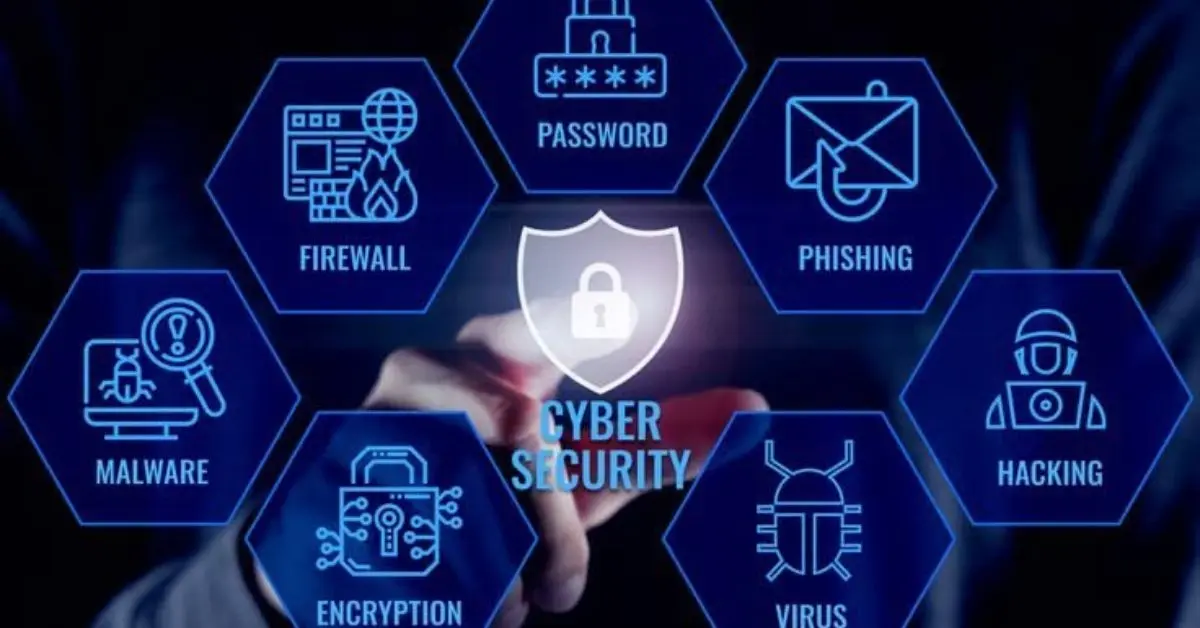
The internet has become one of the most important parts of modern life. Almost every daily activity now depends on an internet connection, whether it is communicating with family and friends, working from home, studying online, shopping, paying bills, managing bank accounts, streaming entertainment, or searching for information. With just a few clicks, people can access millions of websites, connect with individuals around the world, and complete tasks that once required hours of effort. The convenience and speed of the digital world have transformed how we live, work, and learn. However, as internet usage continues to grow, so do the risks associated with browsing online. This makes understanding and following safe internet browsing tips more important than ever before.
Every day, cybercriminals create new methods to trick internet users into revealing personal information, downloading malicious software, or visiting fake websites designed to steal passwords and financial details. These threats are no longer limited to large businesses or government organizations. In fact, ordinary internet users are among the most common targets because attackers know that many people are unaware of basic cybersecurity practices. A single careless click on a suspicious link or an unsafe download can lead to serious consequences, including identity theft, financial fraud, hacked accounts, or permanent loss of valuable personal data.
Many people believe that online attacks only happen to individuals with limited technical knowledge. The truth is that even experienced internet users can become victims if they are not careful. Cybercriminals constantly improve their techniques, making fraudulent emails, fake websites, and phishing messages appear increasingly legitimate. They often imitate trusted companies, banks, online stores, and popular social media platforms to gain users’ trust. As a result, anyone who uses the internet regularly should understand how to identify potential threats before they become costly problems.
Fortunately, staying safe online does not require advanced computer skills or expensive security tools. Most online threats can be avoided simply by developing smart browsing habits and making informed decisions. Learning how to recognize suspicious websites, create strong passwords, update software regularly, verify email senders, and avoid risky downloads can significantly reduce your chances of becoming a victim of cybercrime. These small precautions take only a few moments but can save countless hours, money, and stress in the future.
Another important reason to practice safe internet browsing is the amount of personal information we share online every day. Many websites collect names, email addresses, phone numbers, locations, payment details, and browsing history. While legitimate businesses use this information to improve services and personalize user experiences, cybercriminals seek to exploit the same data for illegal purposes. If sensitive information falls into the wrong hands, it may be used to commit identity theft, access financial accounts, impersonate users, or conduct targeted scams. Protecting your personal information begins with understanding how to browse responsibly and recognizing situations that could put your privacy at risk.
The growing popularity of online shopping has also increased the importance of internet safety. Millions of people purchase products, subscribe to services, and make digital payments every day. While reputable online stores provide secure payment systems, fake shopping websites have become increasingly sophisticated. These fraudulent websites often copy the appearance of well-known brands to trick customers into entering payment information or purchasing products that never arrive. Learning to verify website security, check for HTTPS encryption, and recognize suspicious online stores can help protect both your financial information and your personal identity.
Social media platforms present another area where safe browsing habits are essential. Sharing photos, personal updates, travel plans, or location information may seem harmless, but oversharing can unintentionally provide valuable information to scammers and identity thieves. Criminals often gather publicly available information to answer security questions, impersonate victims, or launch convincing phishing attacks. Adjusting privacy settings, limiting personal information shared publicly, and carefully reviewing friend or follower requests are simple yet effective ways to strengthen your online security.
Children, teenagers, and older adults are particularly vulnerable to online threats because they may be unfamiliar with evolving cyber risks. Families should encourage open discussions about internet safety and teach every household member how to recognize suspicious emails, fake websites, misleading advertisements, and online scams. Creating a culture of cybersecurity awareness at home helps protect everyone who uses connected devices, including smartphones, tablets, laptops, and desktop computers.
Technology continues to evolve rapidly, introducing new digital services, cloud storage, smart home devices, mobile payment systems, and artificial intelligence-powered applications. While these innovations improve convenience, they also create additional opportunities for cybercriminals to exploit weaknesses in software or user behavior. Staying informed about emerging threats and regularly updating your knowledge of cybersecurity best practices is essential for maintaining long-term online safety.
Fortunately, the principles of secure internet browsing remain consistent despite changing technology. Verifying website authenticity, using strong and unique passwords, enabling two-factor authentication, keeping software updated, avoiding suspicious downloads, and thinking carefully before clicking unfamiliar links remain some of the most effective ways to protect yourself online. These habits require very little effort but provide significant protection against a wide variety of cyber threats.
This comprehensive guide explores the most effective safe internet browsing tips for beginners and intermediate users. You’ll learn what safe browsing means, why it matters in today’s digital environment, and the practical steps you can take to reduce online risks. You’ll also discover common mistakes that many users unknowingly make, practical examples of secure browsing habits, answers to frequently asked questions, and expert recommendations for improving your overall cybersecurity. By applying these strategies consistently, you can browse the internet with greater confidence, protect your personal information, secure your online accounts, and enjoy everything the digital world has to offer without unnecessary worry.
What Are Safe Internet Browsing Tips?
Safe internet browsing tips are recommended practices that help users navigate the internet securely while minimizing exposure to cyber threats. These habits focus on protecting personal information, preventing malware infections, avoiding fraudulent websites, and maintaining online privacy.
Safe browsing includes everything from using strong passwords to identifying suspicious emails, updating software regularly, enabling security features, and avoiding risky downloads. These simple precautions work together to create multiple layers of protection against online attacks.
Rather than relying solely on antivirus software, safe browsing emphasizes responsible online behavior. Even the most advanced security software cannot fully protect users who repeatedly ignore warning signs or visit dangerous websites.
Why Are Safe Internet Browsing Tips Important?
The internet connects billions of people worldwide, making it an attractive target for hackers and scammers. Every day, thousands of malicious websites attempt to steal sensitive information or infect devices with harmful software.
Practicing safe browsing offers several important benefits:
- Protects personal information
- Prevents identity theft
- Reduces malware infections
- Secures online banking
- Keeps passwords safe
- Protects family members
- Prevents financial fraud
- Improves online privacy
Developing secure browsing habits today helps prevent costly problems tomorrow.
Step-by-Step Guide to Safe Internet Browsing
1. Use Strong and Unique Passwords
Passwords remain your first line of defense.
Create passwords that:
- Are at least 12 characters long
- Include uppercase and lowercase letters
- Contain numbers and symbols
- Avoid personal information
- Are unique for every account
Using a password manager makes managing multiple passwords much easier.
2. Enable Two-Factor Authentication
Two-factor authentication (2FA) provides an additional security layer beyond your password.
Even if someone steals your password, they cannot access your account without the second verification step.
Enable 2FA for:
- Email accounts
- Banking services
- Social media
- Cloud storage
- Shopping websites
3. Verify Website Security
Always check whether a website uses HTTPS before entering personal information.
Look for:
- The padlock icon
- HTTPS in the address bar
- Correct website spelling
- Trusted domain names
Avoid entering sensitive information on unsecured websites.
4. Keep Software Updated
Software updates fix security vulnerabilities that hackers frequently exploit.
Regularly update:
- Operating systems
- Browsers
- Antivirus software
- Mobile apps
- Browser extensions
Automatic updates are highly recommended.
5. Be Careful with Downloads
Downloading files from unknown sources increases the risk of malware infections.
Only download software from:
- Official websites
- Trusted app stores
- Verified developers
Avoid pirated software, cracked applications, and suspicious email attachments.
6. Watch Out for Phishing Attacks
Phishing scams attempt to trick users into revealing passwords or financial information.
Warning signs include:
- Urgent messages
- Misspelled domain names
- Unexpected attachments
- Fake login pages
- Requests for personal information
Always verify the sender before clicking any links.
7. Avoid Public Wi-Fi for Sensitive Activities
Public Wi-Fi networks are often unsecured.
Avoid using public networks for:
- Online banking
- Shopping
- Accessing confidential work data
- Financial transactions
If necessary, use a trusted VPN for additional encryption.
8. Limit Personal Information Online
Oversharing personal details makes identity theft easier.
Avoid publicly posting:
- Home address
- Phone number
- Financial information
- Travel plans
- Identification documents
Adjust privacy settings on social media platforms regularly.
9. Install Reliable Security Software
Good antivirus software provides real-time protection against many online threats.
Choose software that includes:
- Malware protection
- Firewall
- Web protection
- Email scanning
- Automatic updates
Keep security software enabled at all times.
10. Log Out After Using Shared Devices
When using a public or shared computer:
- Log out of all accounts
- Clear browser history
- Remove saved passwords
- Close all browser tabs
This prevents unauthorized access after you leave.
Benefits of Safe Internet Browsing Tips
Practicing secure browsing offers numerous advantages:
- Better protection against hackers
- Reduced risk of malware infections
- Improved online privacy
- Safer online shopping
- Secure banking transactions
- Protection from identity theft
- Increased confidence while browsing
- Better protection for family members
- Reduced financial risks
- Enhanced digital security awareness
Disadvantages and Risks of Ignoring Safe Browsing
Ignoring cybersecurity best practices can lead to serious consequences.
Potential risks include:
- Stolen passwords
- Identity theft
- Financial fraud
- Malware infections
- Ransomware attacks
- Account hijacking
- Data loss
- Privacy violations
- Device performance issues
- Unauthorized purchases
Most of these problems are preventable through responsible browsing habits.
Common Mistakes to Avoid
Many users unknowingly compromise their online security.
Common mistakes include:
- Reusing the same password everywhere
- Ignoring browser security warnings
- Clicking suspicious advertisements
- Downloading software from unofficial websites
- Opening unknown email attachments
- Sharing excessive personal information online
- Delaying software updates
- Using weak passwords
- Connecting to unsecured Wi-Fi networks
- Disabling antivirus protection
Recognizing these mistakes is the first step toward improving online safety.
FAQs
What is the safest web browser?
Modern browsers like Chrome, Firefox, Edge, and Safari provide strong security features when kept updated. Regardless of your browser choice, safe browsing habits remain essential.
Is antivirus software enough to stay safe?
No. Antivirus software helps detect threats, but users must also follow safe internet browsing tips, avoid suspicious websites, and keep software updated.
How often should I change my passwords?
Change passwords immediately if you suspect a security breach. Otherwise, use strong, unique passwords and update them periodically, especially for important accounts.
Can HTTPS websites still be dangerous?
Yes. HTTPS encrypts communication but does not guarantee that a website is trustworthy. Always verify the website’s legitimacy before entering personal information.
Is public Wi-Fi always unsafe?
Public Wi-Fi can expose your data if it lacks proper security. Avoid accessing sensitive accounts unless you are using a trusted VPN.
What should I do if I accidentally click a suspicious link?
Disconnect from the internet if necessary, run a complete antivirus scan, change affected passwords, monitor your accounts, and report any suspicious activity immediately.
Expert Tips and Bonus Points
Improve your online security even further with these expert recommendations:
- Review privacy settings every few months.
- Back up important files regularly.
- Remove unused browser extensions.
- Avoid saving passwords on public computers.
- Monitor financial statements frequently.
- Verify website URLs carefully before logging in.
- Enable browser security features.
- Educate family members about online scams.
- Use secure cloud storage with strong authentication.
- Stay informed about emerging cybersecurity threats.
Remember that cybersecurity is an ongoing process rather than a one-time task.
Conclusion

The internet has become an indispensable part of modern life, offering countless opportunities for communication, education, business, entertainment, and personal growth. From online banking and shopping to remote work and social networking, digital technology has made everyday tasks faster and more convenient than ever before. However, with these benefits comes the responsibility of protecting yourself against the growing number of cyber threats that exist online. Hackers, scammers, and cybercriminals are constantly developing new techniques to exploit unsuspecting users, making it essential for everyone to practice safe browsing habits every time they go online.
Following safe internet browsing tips is one of the simplest and most effective ways to reduce the risk of becoming a victim of phishing attacks, malware infections, identity theft, financial fraud, and data breaches. The good news is that staying safe online does not require expert technical knowledge or expensive security tools. Small actions, such as creating strong and unique passwords, enabling two-factor authentication, keeping your operating system and applications updated, verifying website security before entering personal information, and avoiding suspicious links or downloads, can significantly improve your online safety. When practiced consistently, these habits create multiple layers of protection that make it much harder for cybercriminals to compromise your accounts or devices.
It is also important to remember that cybersecurity is an ongoing process rather than a one-time task. Technology continues to evolve, and so do the tactics used by online criminals. New scams, fake websites, phishing emails, and malicious software appear regularly, making continuous awareness an essential part of digital life. Staying informed about emerging threats, reviewing your privacy settings, monitoring your online accounts, and updating your security knowledge will help you remain protected as the internet continues to change.
Safe browsing is not only about protecting yourself—it also helps safeguard your family, friends, coworkers, and the organizations you interact with online. By sharing cybersecurity knowledge with others and encouraging responsible online behavior, you contribute to creating a safer digital environment for everyone. Parents can educate children about internet safety, employees can follow workplace security policies, and individuals can help friends recognize common online scams before they become victims.
Ultimately, online security begins with personal responsibility. Every click, download, password, and website visit presents an opportunity to either strengthen or weaken your digital protection. Making thoughtful decisions before sharing information, installing software, or opening unfamiliar emails can prevent serious problems that may otherwise result in financial loss, stolen identities, or compromised personal data.
By consistently applying these safe internet browsing tips, you can enjoy the many advantages of the internet with greater confidence and peace of mind. Building secure online habits today is an investment in your future digital safety, helping you protect your privacy, preserve your personal information, and confidently navigate the ever-changing online world for years to come.
